The impact reporting process is a guided, survey-like experience that is designed to help you capture the annual results of your social programs. Using evidence-based frameworks and a standard taxonomy, you can communicate your program’s outcomes, key design features, beneficiaries, and context. These are the steps to complete an impact report.
1. Begin Reporting
First Time Reporting:
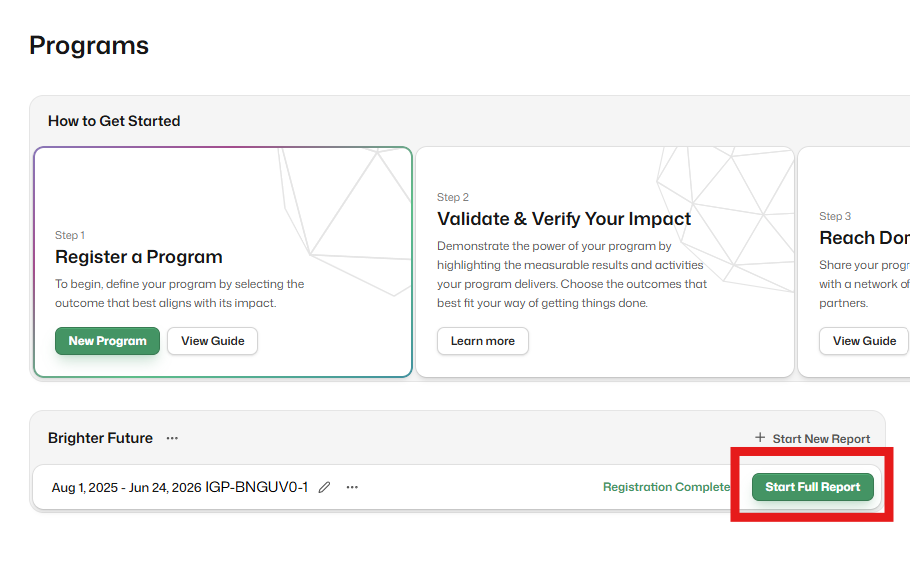
Once your program is registered, click on theStart New Report button to begin the reporting process.
Previously Verified:
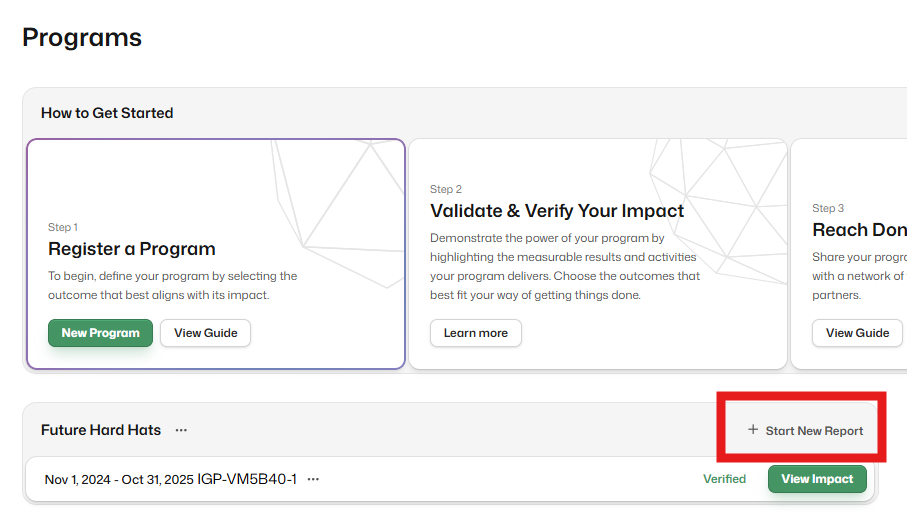
If your program was previously verified, skip registration. Click Start New Report to review and update the cloned report (e.g., budget, reporting period, impact data). This will save you significant time compared to starting from scratch.
2. Complete the Full Impact Report
After registering your program, the next step is to complete the full impact report. This is where you’ll provide detailed information about your program’s impact, including impact data, evaluation methods, and supporting evidence for your impact claims.
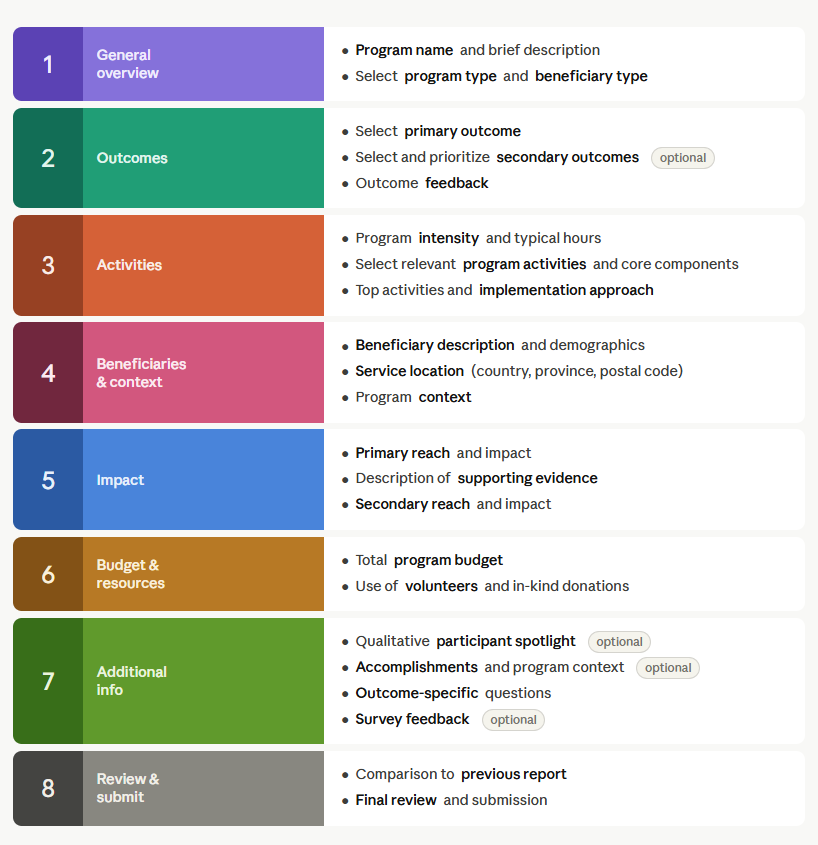
Here is the report section overview:
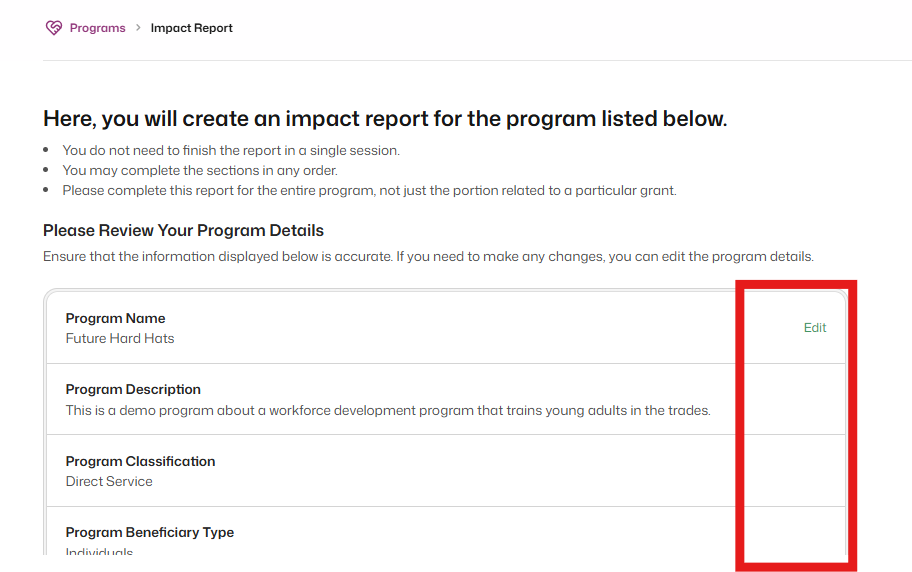
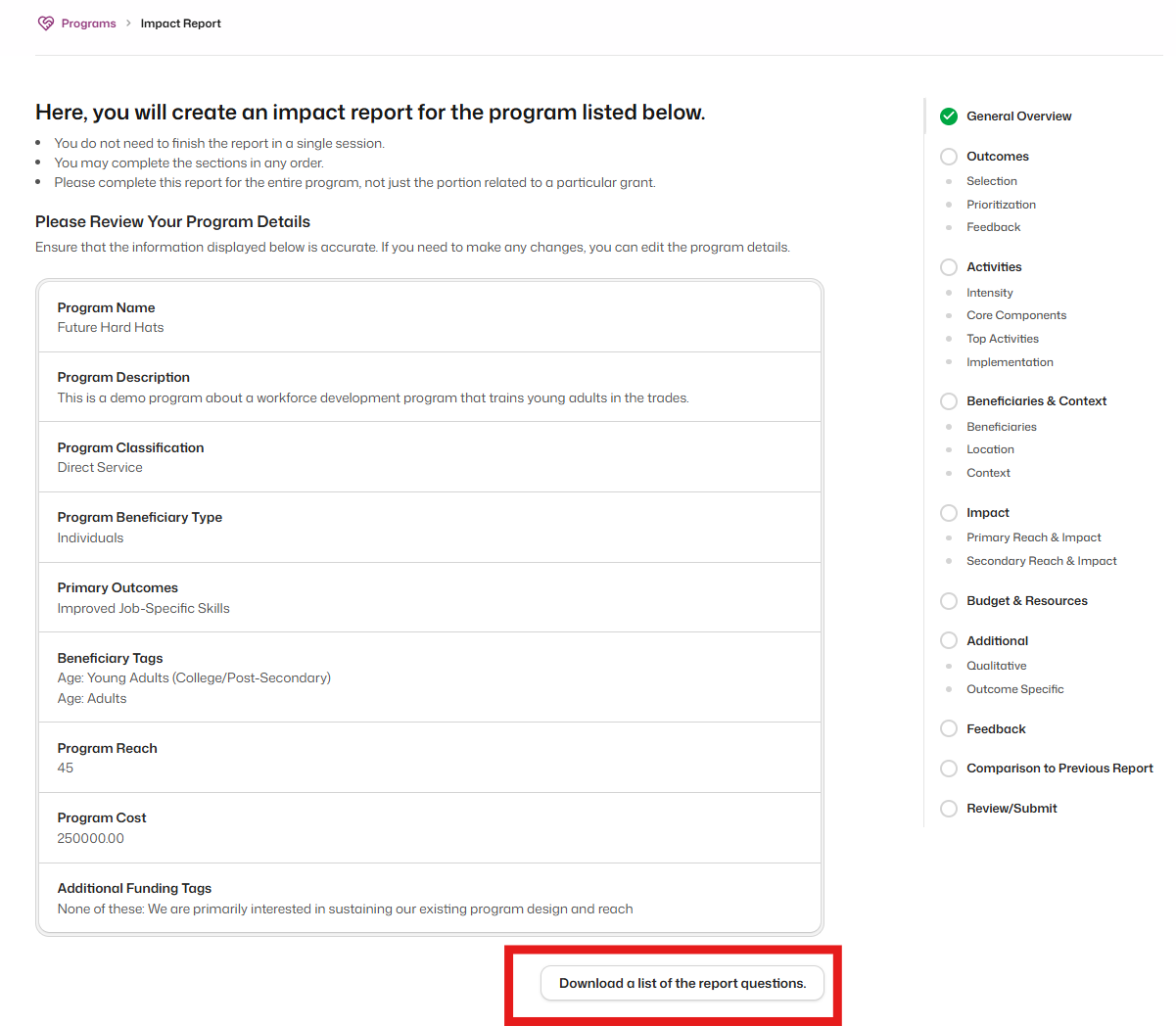
First, review your program details under General Overview before you begin reporting. If any information appears incorrect, return to the registration process by hovering over the row and clicking Edit.
Before starting your report, you can download a preview of the report questions by clicking Download a list of the report questions at the bottom of the General Overview page. Note that this preview may not include every question you'll encounter. Our system dynamically shows additional questions based on your responses as you go.
3. Submit for Verification
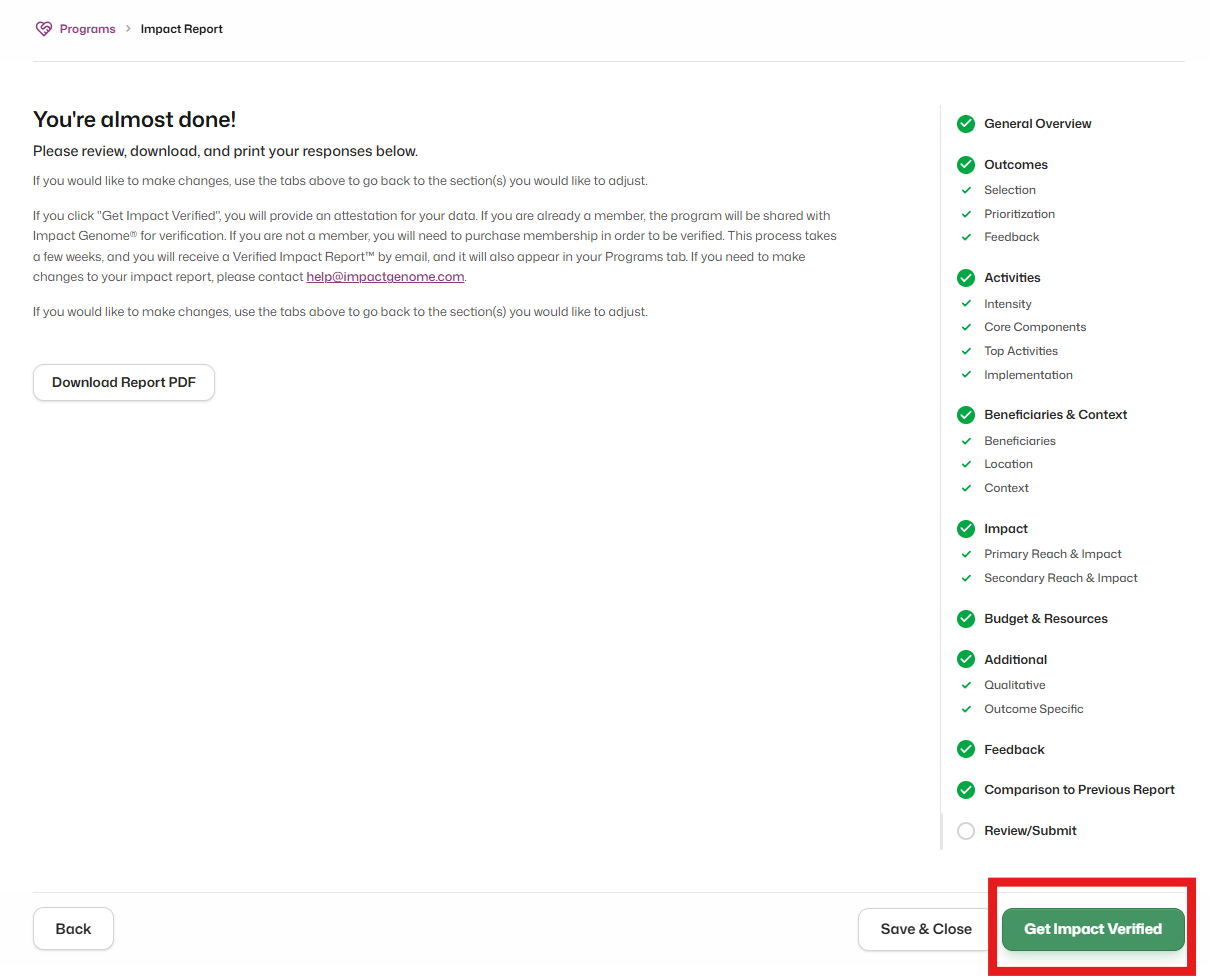
After completing all the sections of the full impact report, the next step is to submit it for verification. If your funder or organization has purchased Verification Credits, click Get Impact Verified to view available credits in the pop-up message. Then, apply a credit toward verifying your program’s full impact report.
Join the Registry
Getting Impact Verified
Access step-by-step resources to support your journey to becoming Impact Verified.
Impact Reporting
How to complete impact reporting
Fundraising with a Verified Impact Report
Take back control and change how you fundraise!
Guidance on Joining the Registry
Advice on completing key sections of the program registration